python-3.x-amd64.exe installation package: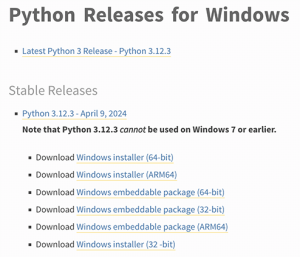
C:> scoop install python
brew install python3 to install Python 3.Note
The command to run Python is
python3on Linux/macOS, andpythonon Windows. Please select the appropriate command based on your operating system for subsequent steps.
python. Two scenarios may occur:┌─────────────────────────────────────────────────────────┐
│Windows PowerShell - □ x │
├─────────────────────────────────────────────────────────┤
│Windows PowerShell │
│Copyright (C) Microsoft Corporation. All rights reserved.│
│ │
│PS C:Usersliaoxuefeng> python │
│Python 3.13 ... │
│Type "help", "copyright", "credits" or "license" for ... │
│>>> _ │
│ │
└─────────────────────────────────────────────────────────┘
>>>, it indicates you have entered the Python interactive environment. You can type any Python code here, and the execution result will be displayed immediately after pressing Enter. Now, type exit() and press Enter to exit the Python interactive environment (you can also simply close the command-line window).┌─────────────────────────────────────────────────────────┐
│Windows PowerShell - □ x │
├─────────────────────────────────────────────────────────┤
│Windows PowerShell │
│Copyright (C) Microsoft Corporation. All rights reserved.│
│ │
│PS C:Usersliaoxuefeng> python │
│python : The term 'python' is not recognized as ... │
│... │
│ + FullyQualifiedErrorId : CommandNotFoundException │
│ │
└─────────────────────────────────────────────────────────┘
python.exe in the paths specified by the Path environment variable. If it cannot be found, an error is thrown. If you missed checking “Add Python 3.x to PATH” during installation, you need to manually add the path of python.exe to the Path variable.python command;python3 command;exit() at the >>> prompt and press Enter to confirm.